Plan, clock in and control every job
From the schedule to the real margin: planning, mobile clock-in, signed work orders and cost control in one platform for companies with field teams.
Jobs and scheduling
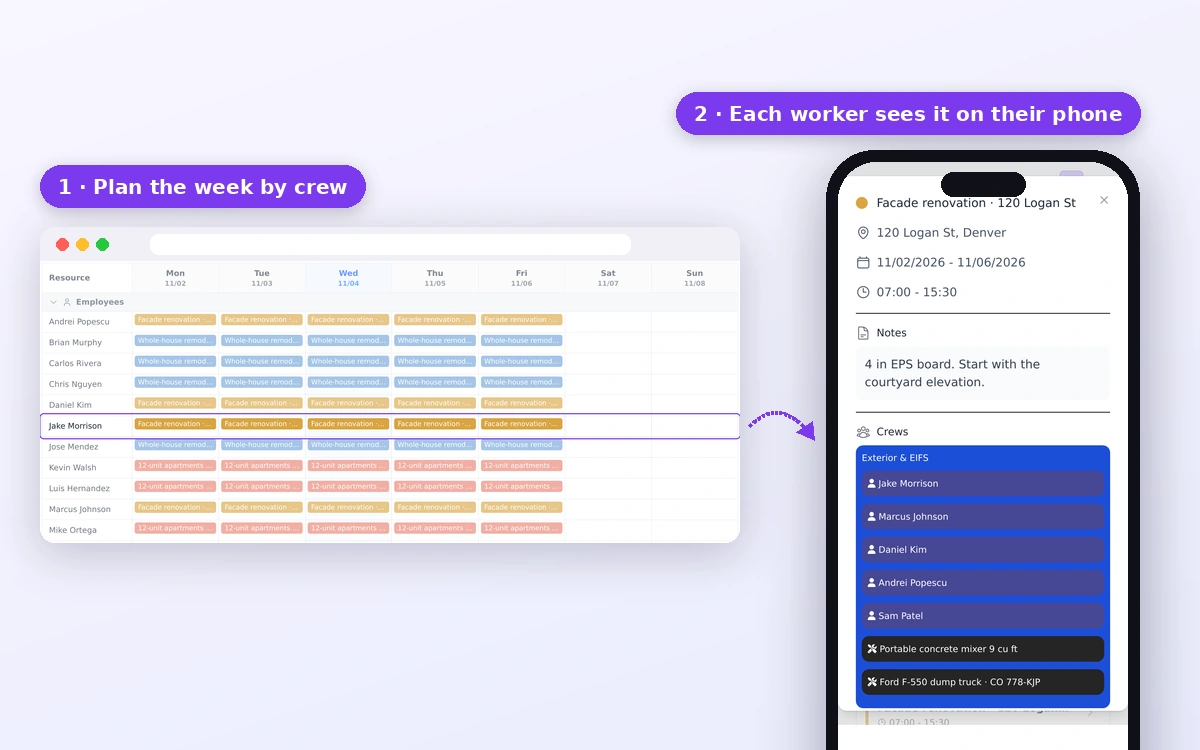
Create each job with its client, tasks and budget, and plan who goes, when and with which machinery. Your team gets it on their phone, with no calls or scattered messages.
- Jobs with client, location, tasks and budget
- Targets per task in quantity and hours
- Visual calendar: drag and drop, on touch screens too
- Assign crews, employees and machinery to every job
- Every worker sees their schedule on their phone
It suggests the most suitable employees for each event based on availability, approved absences and accumulated workload, while the planner always keeps final control.
Clock-in and time tracking
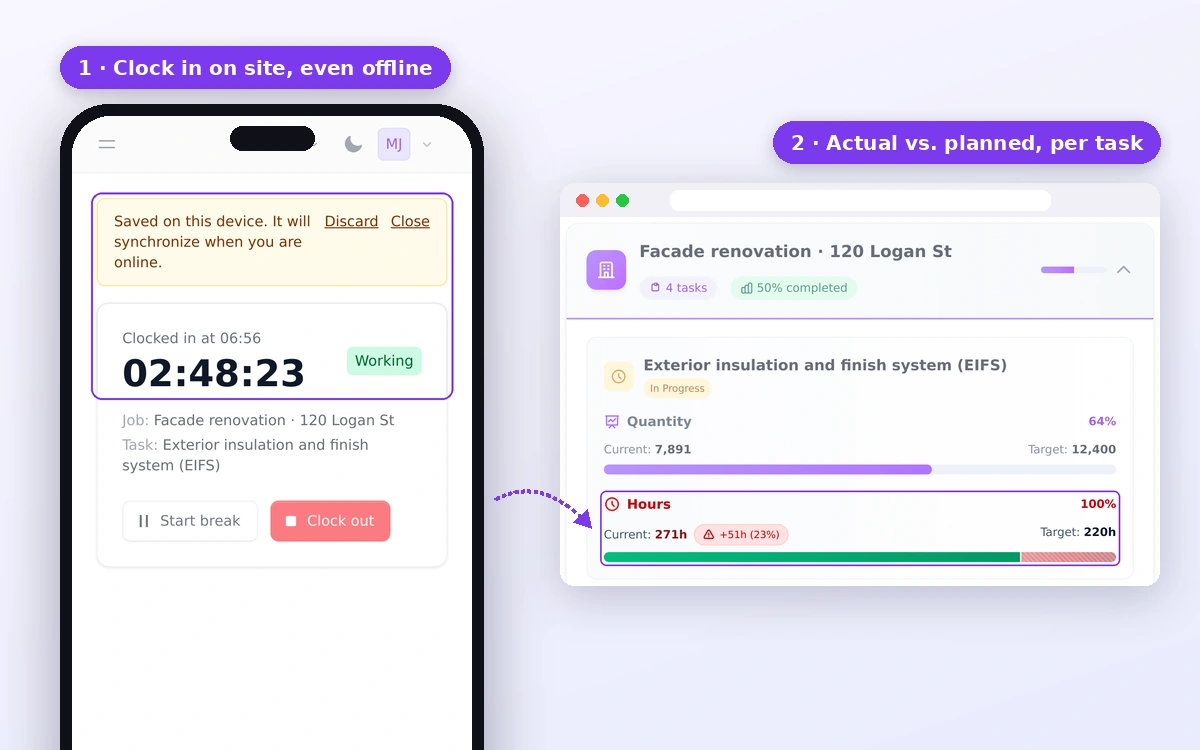
Your team clocks in with one tap on their phone and every hour is booked to the right job and task. You review and approve timesheets with no paperwork.
- Clock in, break and clock out from the phone or with a PIN
- Hours booked to each job and task, not to a common pot
- Optional location and geofence at clock-in
- Hour review and approval by the manager or foreman
- Automatic overtime and break calculation
- Export hours to Excel
- Month close and payroll export (CSV or Excel)
Daily job reports
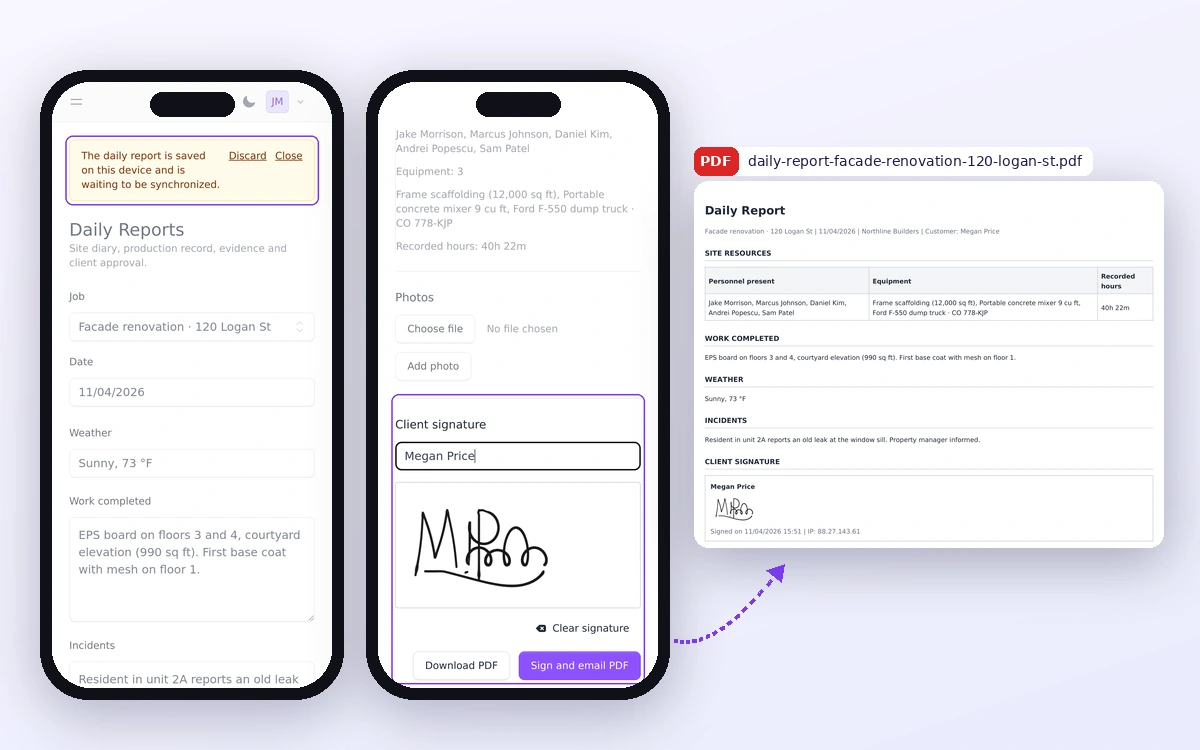
Document every workday with resources, progress, incidents, photos and the client signature in a single report ready to share.
- Resources, hours and recorded work preloaded for the selected job and date
- Weather, completed work, incidents and photographic evidence
- Client or responsible person signature from mobile or tablet
- Official PDF ready to download, file or send to the client
Costs, overruns and reports
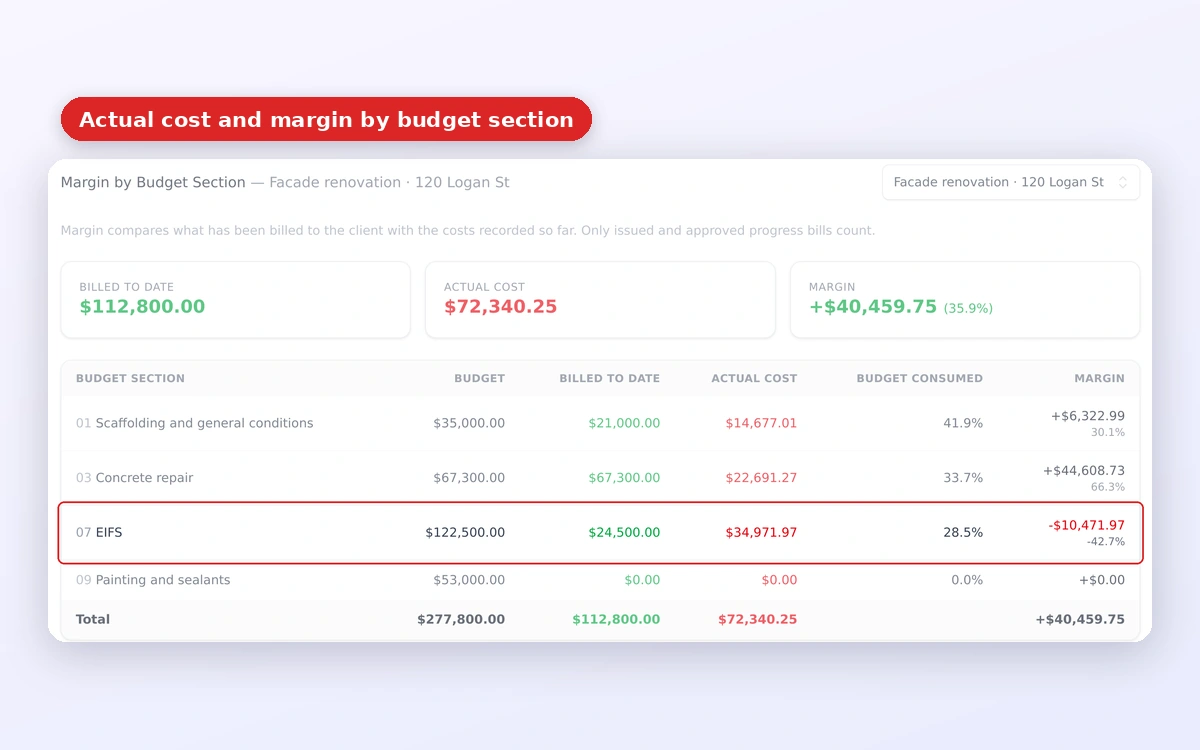
Compare real hours and costs with the plan while the job is still running, and spot overruns while you can still fix them.
- Planned vs. real hours per task, with overrun alerts
- Costs per job: materials, machinery, subcontractors and labour
- Budget vs. real cost and margin for every job
- Hour reports per job and per worker
- Dashboard with your key operational indicators
Generate, with one click, a daily summary of operations with the status of each job, progress, pending tasks, costs and other key data for the day.
Turn hours, costs, tasks and key dates into a professional progress report ready to review, customise and share with your client.
Document expiry control
Paperwork in order, with no surprises on site. Track expiry dates for people and equipment and avoid assignments with expired documents.
- Employees: contract, medical check, safety training, licences and issued PPE
- Equipment and vehicles: roadworthiness test, insurance, servicing and manuals
- Automatic reminders 60, 30 and 7 days before expiry
- Optional blocking of job assignment when a document has expired
Contract, medical check, safety training, licences and issued PPE with their expiry date.
Roadworthiness test, insurance, servicing and manuals for every vehicle or machine, always at hand.
Reminders at 60, 30 and 7 days and optional blocking of job assignment.
App for your field team
Simplified view for workers: they open it in their phone browser or install it on the home screen, no app store needed, and only see what they need.
Employees, roles and permissions
All the information for each worker, with foreman roles and granular permissions to decide who sees and approves what.
Client management
A record for each client with contact details and all their linked jobs.
Machinery and equipment
Inventory of machinery and tools with job assignment and usage tracking.
Absence management
7 absence types (vacation, sick leave, permits and more) with overlap control and automatic day calculation.
Proactive alerts
Receive alerts for budget overruns, jobs without logged hours and delayed tasks before they affect the outcome.
Job financial analysis
Review actual unit cost and recurring hour deviations to identify under-budgeted tasks and protect margin. Available from Professional.
Purchasing and suppliers
Record purchase orders, delivery notes and supplier invoices, and turn them automatically into costs for each job. No ERP needed. Available from Professional.
Progress billing and revenue control
Record billable progress, approved variations and projected collections against costs. Designed for companies that bill by progress. Available from Professional.
Work teams
Group your workers into teams or crews and assign them to each job in one go.
ERP Integrations
Connection with 6 ERP systems: SAP Business One, Dynamics 365 Business Central, Odoo, Holded, QuickBooks and Dolibarr. Available in the Business plan.
REST API
RESTful API with token authentication and granular permissions to integrate Planixia with your external systems.
Discover everything Planixia can do for you
Try it free for 14 days, no credit card and no commitment.