From job to real margin, step by step
Five steps that connect what happens in the field with real control over every job. Call it a site, an installation or a service call: the flow is the same.
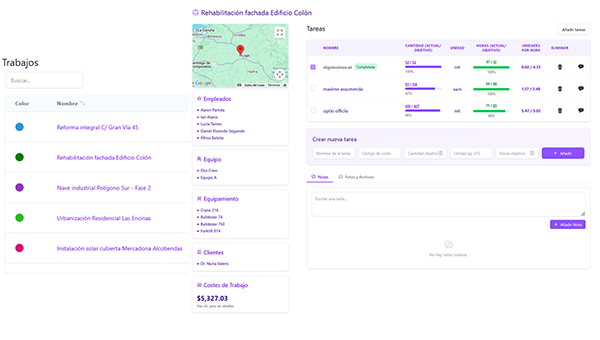
Create the job
Set up the job (site, installation, service call or project) with its budget, tasks and cost codes. From that moment on, everything logged in the field is allocated where it belongs.
- Budget and line items per job
- Reusable tasks and cost codes
- Documents and client data in one place
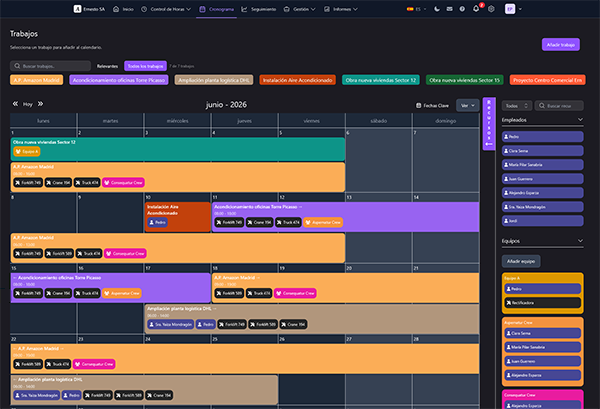
Assign crew and equipment
Plan who works, where and with which resources. Your team sees it in their calendar, with no calls or scattered messages.
- Visual planning by job and by day
- Staff and machinery assignment
- Alert if required documents are missing or expired
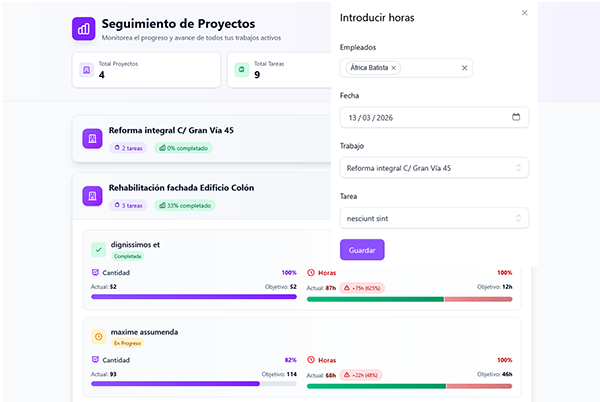
Your team logs hours from mobile
Quick clock in, break and clock out, or hours allocated per task. With photo, note and location when you need it.
- Clock in with two taps, nothing to install
- Hours allocated to job and task, not to one big bucket
- Photos, issues and optional geolocation
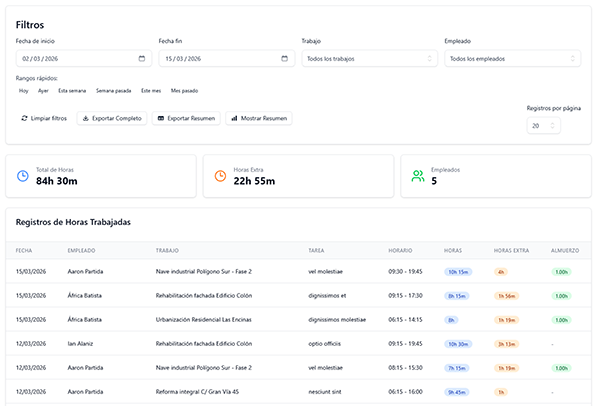
Review and approve the hours
Every entry comes in as pending. The manager or foreman checks that the hours are correct, that there are no duplicates and that the task is the right one, then approves or rejects. From that point they stop being a draft: they are the job's official data for payroll, legal compliance, invoicing and productivity analysis.
- Hour statuses: pending, approved or rejected
- Foremen with permission to review and correct
- Validation of working day, task and legal compliance
- Monthly timesheet signature by employee and company
- Optional daily work report, as PDF and signed by the client
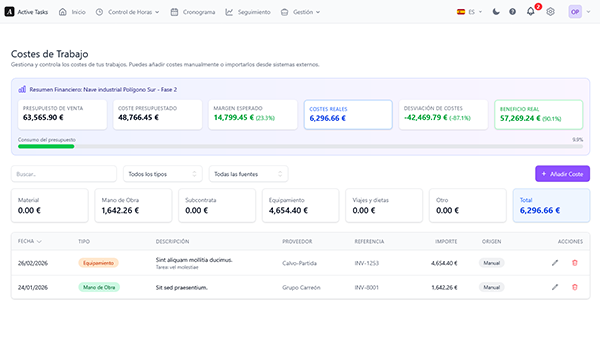
See cost variance and margin
In parallel you record the job's costs: materials, machinery, subcontractors, expenses and, if you want to allocate it, labour. You compare them against the budget and spot the deviation while you can still fix it, not when the project closes.
- Real cost vs. budget per job
- Labour can be allocated as cost if you record it
- Margin per project and per client
- Alerts when a job goes off budget
And how do you get there?
Setup happens once and there is nothing to install.
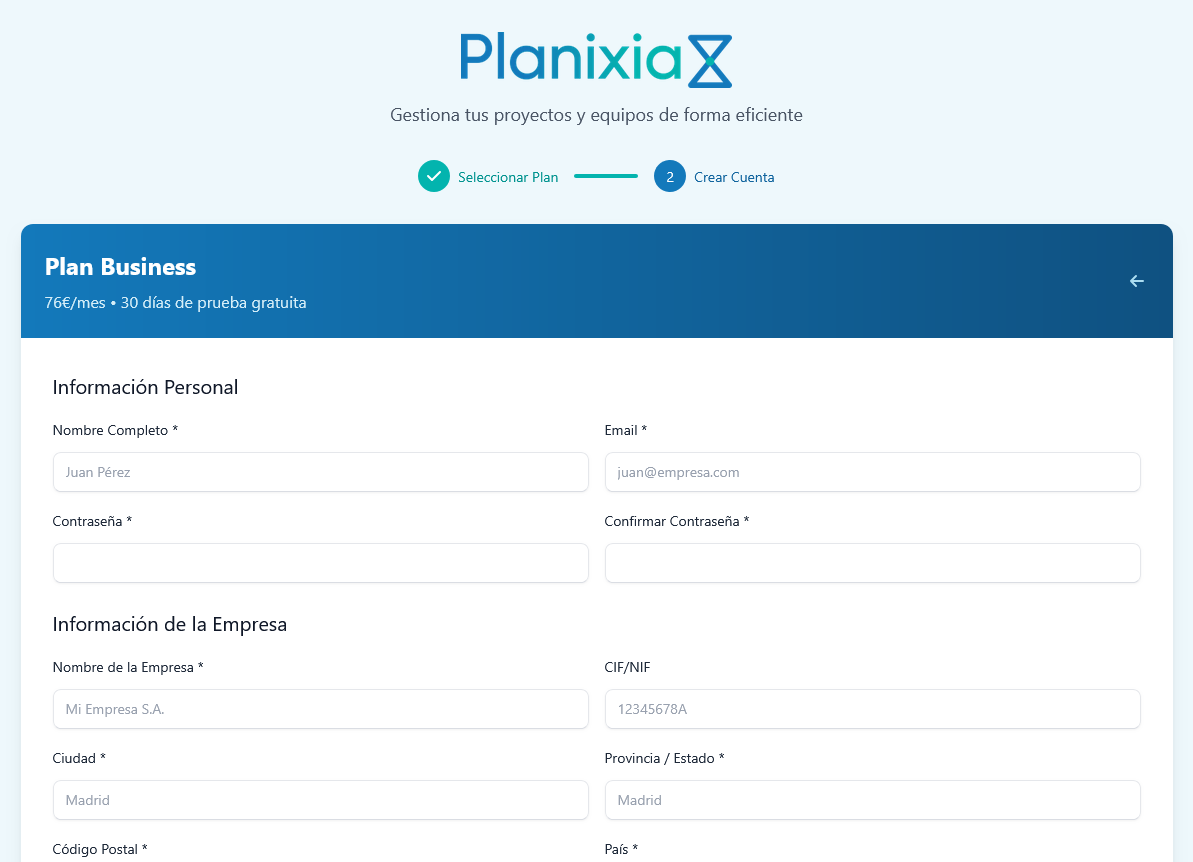
Create your account
Pick a plan, fill in your company details and start your 14-day trial.
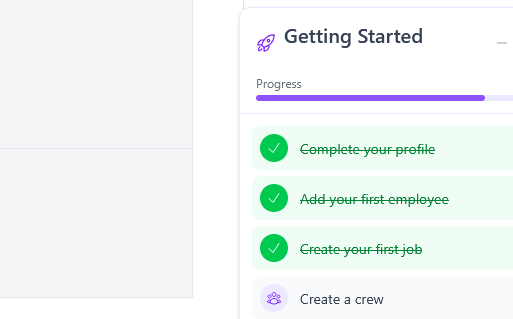
Set up the basics
A wizard guides you through adding jobs, employees, tasks and cost codes.
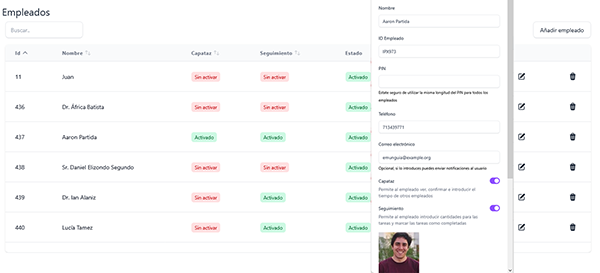
Invite your team
Each person gets access based on their role and signs in from their mobile browser.
No installs, no servers. Just a browser.
Try the full flow with a real job
Load a job, log a few hours and look at the margin. In 14 days you will know if it fits.
14 days free • Credit card required